Image of Canberra from Mt Painter towards
Black Mountain
What are the goals for today?
Admin, Reflection and Impact:
Admin: hours, payslips, timetables, who to ask about what
Reflection: what challenges have you encountered?
Strategies: ideas high impact teaching
Schedule
00:00: 1. Admin
00:30: 2. Reflection
01:15: 3. Strategies
You’ll need to be in table groups for the activities, ideally you
would have 4–5 people at your table.
Move around now to adjust the groups!
Admin Refresher and Updates
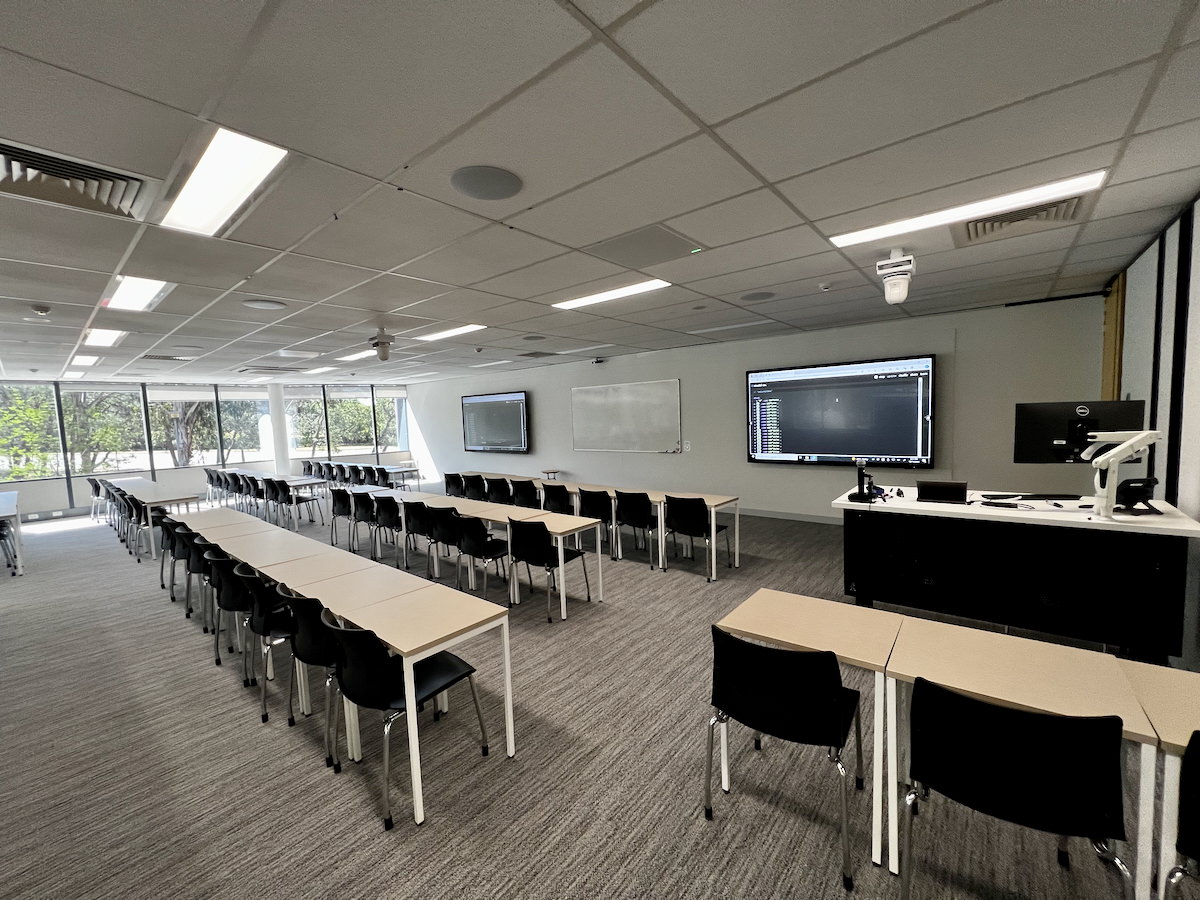
An ANU classroom in the Fulton Muir
Building
Task: Journey as an educator (5mins)
Everybody here is an educator within the School of
Computing, but you may not know each other.
You might also have had some teaching experiences outside of SoCo…
(maybe not as a job!)
At your table groups:
Introduce yourselves to each other
Find out what classes you have previously taught and what you will
teach this semester
What classes have you been
teaching?
About Charles 🤖🎶🥁📝
Charles Martin
computer scientist, music technology researcher, performer
teaching computing at ANU since 2019 (and before that…)
Assistant Associate Director Education, School of
Computing
teaches HCI, music computing, systems, creative coding, etc.
lately responsible for training tutors in our
college (~90 in 2025, more in 2026…)
goal: make sure teaching in our school is
✨✨awesome✨✨
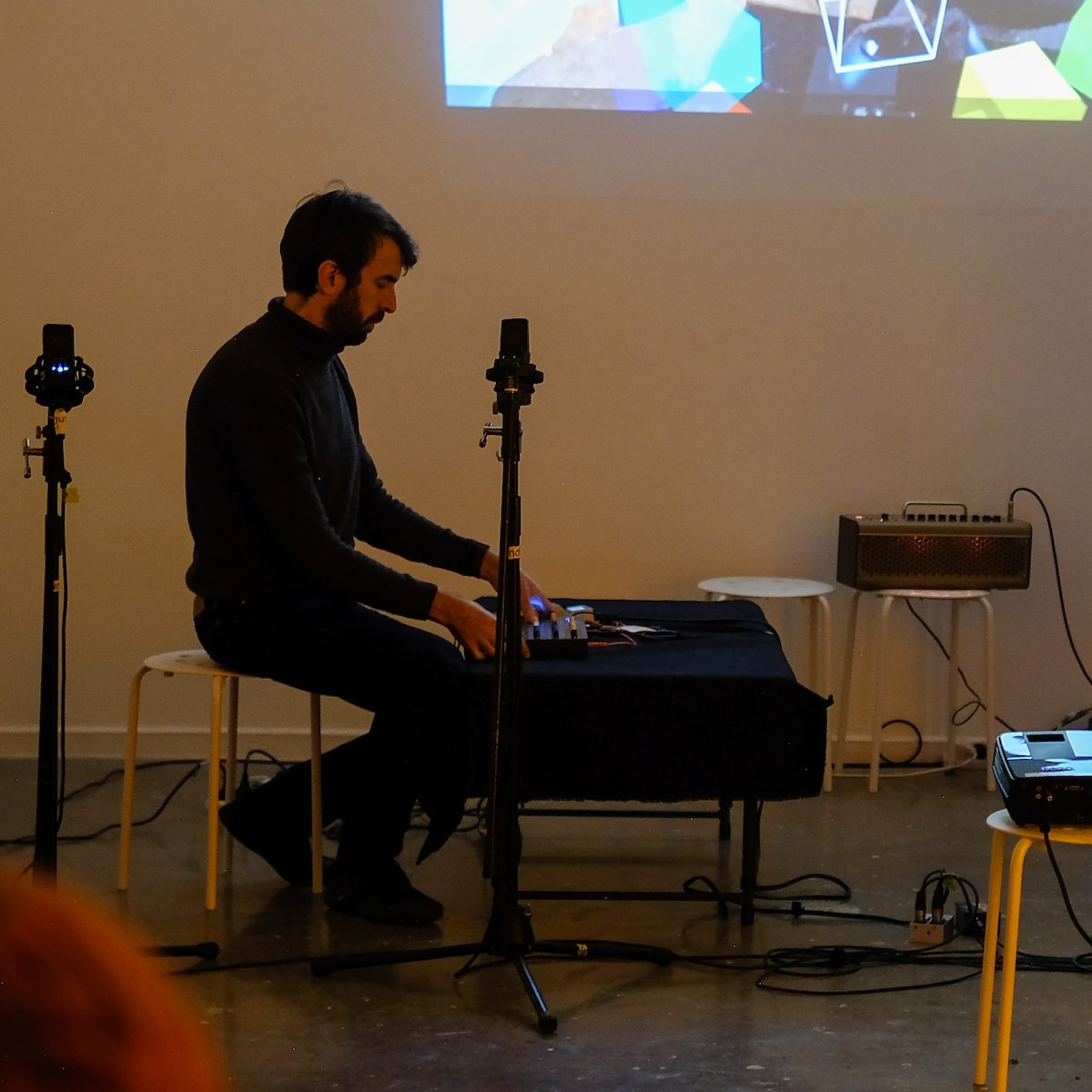
Charles playing synths (photo by Sandy
Ma)
What work have you been doing as a tutor?
Teaching labs: standing at the front speaking to a
whole class, helping individuals with work, answering questions,
listening to problems and issues, helping students learn!
Marking assessments: evaluating work (what have
students learned?), explaining evaluations, writing feedback, explaining
reasoning
Meeting with course convenors and other tutors:
going to meetings, understanding duties and tasks, providing ideas/info,
incorporating feedback
Filling in timesheets, doing admin: navigating ANU
websites, understanding rights/responsibilities at work, asking for
help
Qualifications for teaching (new✨)
Why did I have to fill in a docx form?
HESF (Higher Education Standards Framework) expects universities to
have teachers with one degree higher than the taught curriculum. Some
level of professional equivalency allowed given they have
supervision and professional
development (PD), e.g.,
PhD students allowed to teach master students
undergrads may teach undergrads provided they have achieved
excellent results in the subject
These rules are not new, but CSS is coming into compliance.
This semester, we learned that the .docx form is
unhelpful, ongoing process to replace this.
Professional development: training at the start 😇, refresher session
every year 👩🏽🏫
Timesheets, hours, and earnings codes
Every two weeks you will need to fill in a timesheet on HORUS (the
ANU HR website). Tricky because of way ANU accounts for teaching hours
through “earnings codes” where 1 unit of the code may include more than
1 hour of work.
T42: Marking: 1-to-1 ratio
T44: “Other required activity”: 1-to-1 ratio
T21: Teaching “Supplementary / scaffolded form of
delivery” (that is, tutorials or labs): 1-to-3 ratio (1 hour teaching +
2 hours of “associated working time”)
T23: Repeat Teaching “Supplementary / scaffolded
form of delivery” (1 hour teaching + 1 hour associated working
time)
For the purposes of this provision, ‘contemporaneous marking’ means
marking that is performed during a teaching activity, or marking work
that could have reasonably been performed during the teaching activity,
for example, marking oral presentations delivered during class.
so what does “reasonably performed during the teaching activity”
mean?
tasks for associated working time are in the Enterprise
Agreement
provides guarantees of hours throughout the semester
protects casual staff against unfair requests from academics (e.g.,
“You’ll have to attend the lecture to find out what to teach! No you
don’t get paid for that!!”)
provides an automatic allowance for preparation, Q&A and admin
work.
Your manager needs to provide tasks for you to
complete in Associated Working Time.
A worked example
Charles the tutor teaches two 1.5-hour labs, 3 hours of work
(preparation, marking, admin, consultation and meetings) related to
those labs,
3 hours of marking assignments,
and 1 hour writing test cases for the exam.
Code
Units
Teaching Time
Associated Working Time
Total Hours Worked/Paid
T21 Teaching
1.5
1.5
3
4.5
T23 Repeat Teaching
1.5
1.5
1.5
3
T42 Marking
3
3
T44 Other
1
1
School of Computing: 1.5 + 0.5 structure
In the School of Computing, many of our classes have a 1.5 hour
teaching + 0.5 hour consultation time structure.
Computer Lab: 1.5 hours (T21/23 teaching)
Consultation Time: 0.5 hours (taken from the associated working
time)
Charles advice:
at the end of 1.5 hours announce “the tutorial is now over, I am
staying until X o’clock to answer individual questions.”
answer questions about any aspect of the course (redirect problem
questions to the forum and help the student to write and submit the
post).
Our work in the classroom and when marking assessments is usually
clear, but outside of these activities, things can be a bit more
hazy.
At your tables discuss:
Are there any aspects of your job admin that are confusing?
What kind of “associated working time” tasks have you been
doing?
How have you managed communication with your convenor and team?
After a few minutes, share some examples with the room.
What are your experiences managing your
job?
Reflection: Your educator journey
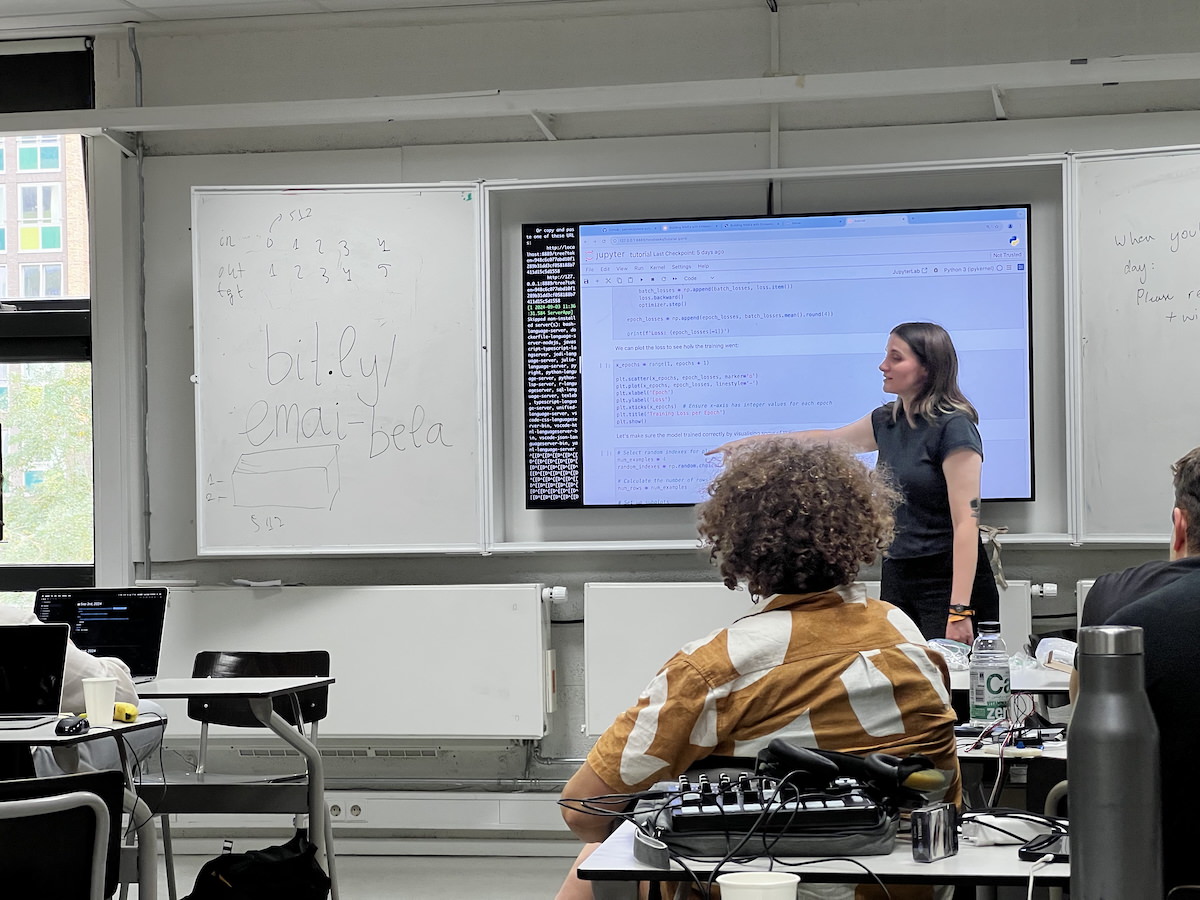
Teaching at a workshop
How do people develop as teachers?
Kugel (1993) describes one pathway of
development as university teachers:
Self
Subject
Student…
As educators we also learn and are influenced by our environment,
experiences, and self.
Let’s review these phases (presented in new-starter training…) and
reflect on your progress as a teacher.
Phase 1: Emphasis on Teaching
Focus on self: Survival in front of a class!
Learning how to explain, fear of not knowing the “right” answers.
Focus on subject: Covering the topic thoroughly
(more than a student!). Preparing packaged, inspiring, and interesting
content. Fear of running out of time!
Focus on student: Students are different! Prepare
alternatives formulas and explanations. Learn about student needs,
awareness of multiple valid approaches.
A teacher up the front
Phase 2: Emphasis on Learning
Student as active: Let students do the work!
Coaching students in applied learning activities. Teaching less, but
more learning occurs.
Student as independent: Coach students in learning
how to learn. Let students independently explore. (What knowledge will
be important in computing in 20 years?)
Tuning: Established skills in previous stages. Move
between stages as necessary, updating and experimenting.
A teacher at the side
Risks
Early stages:
Great content, students not engaging and not learning.
Overwhelm students with explanations: answering questions not
asked.
Frustrating when student don’t find this fascinating topic
interesting!
Later stages:
Getting students to do things: tricky.
Teaching less doesn’t mean nothing: still need
telling/showing (explicit teaching).
Need to do listening and questioning: these are
hard skills.
Students annoyed! “Just tell me what to do!!”
Task: What stages resonates for you? (10mins)
Think about the phases/stages of teaching described in Kugel (1993)
Focus on self
Focus on subject
Focus on student
Student as active
Student as independent
Tuning
What stages resonate for you and why? Where are you on your teaching
journey?
Discuss in your groups and we will come together to hear some
responses.
What kind of a teacher will you be this
semester?
Task: Joys and Challenges (5mins)
Reflect on the teaching experiences that you have had and think about
the highs and lows
What do you enjoy about tutoring?
What challenges have you faced or do you
expect to face as a tutor?
What aspects of tutoring would you most like support with?
Discuss with your group and then we’ll hear some example of each
question from each table.
What are your expectations about
tutoring?
Strategies: High Impact Teaching Strategies
In this section we will think about how to make our teaching
better, given the resources and agency we have as tutors.
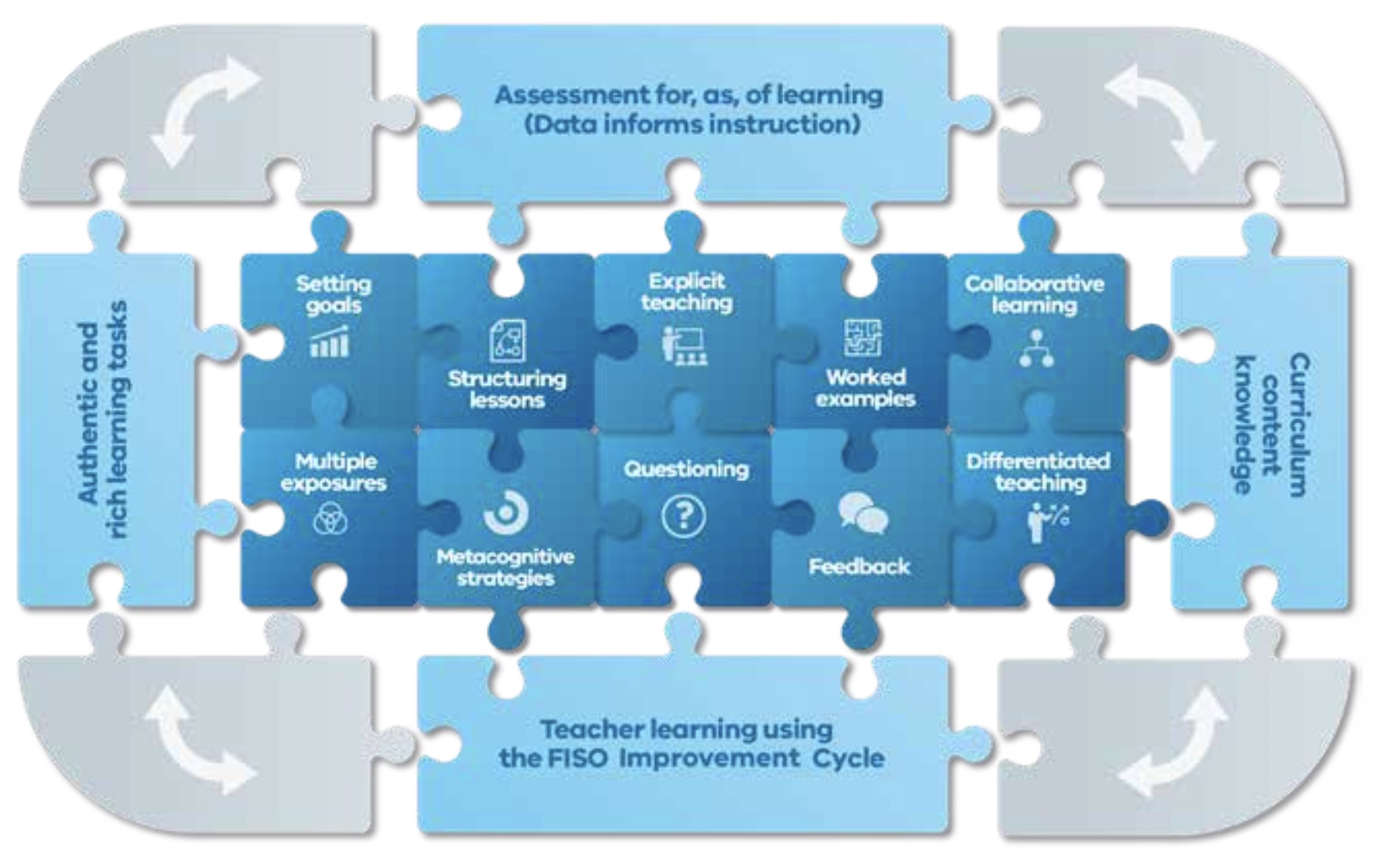
I’ll go through a resource called High Impact Teaching
Strategies and we will try to align these to our work in
computing.
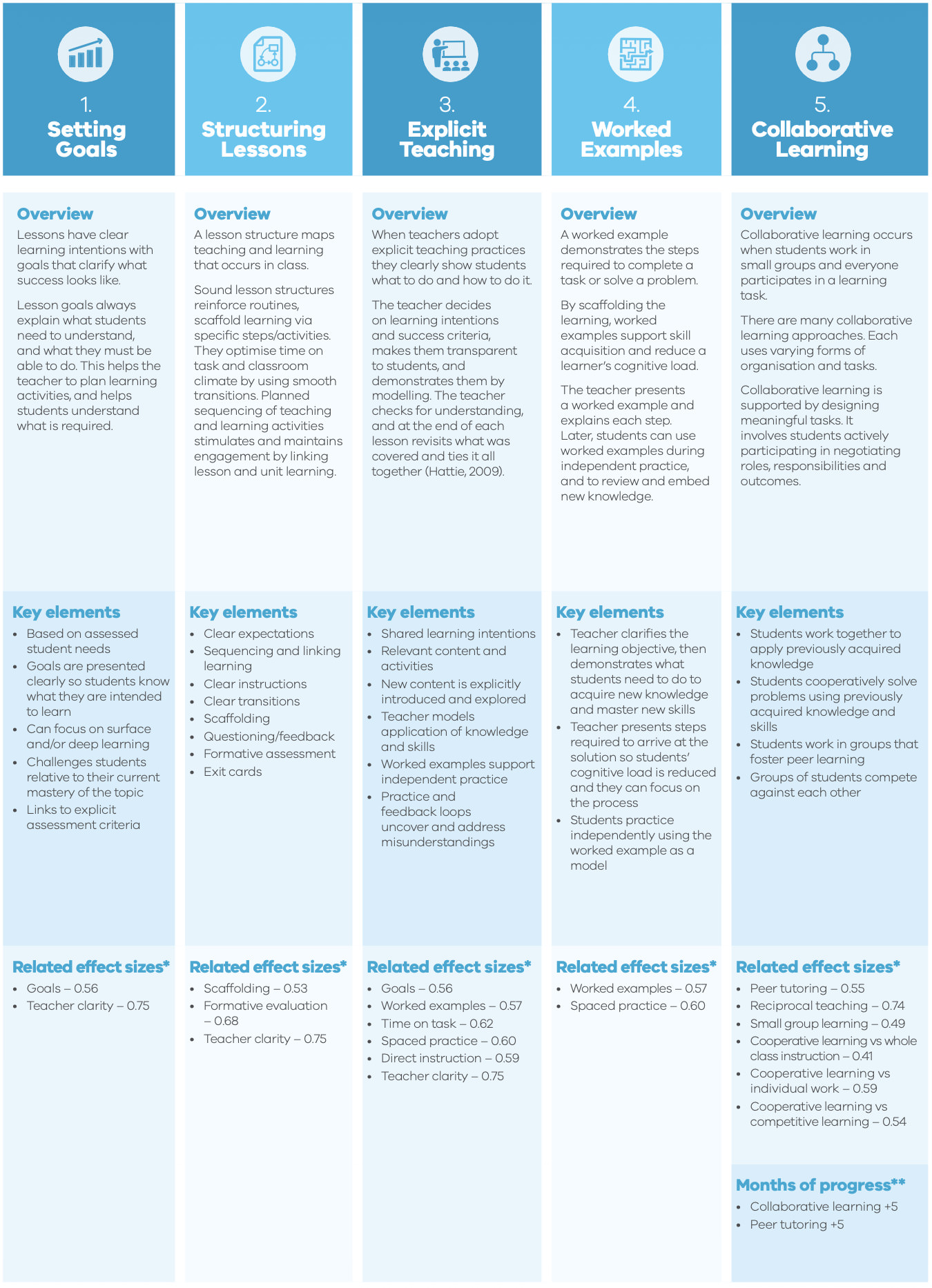
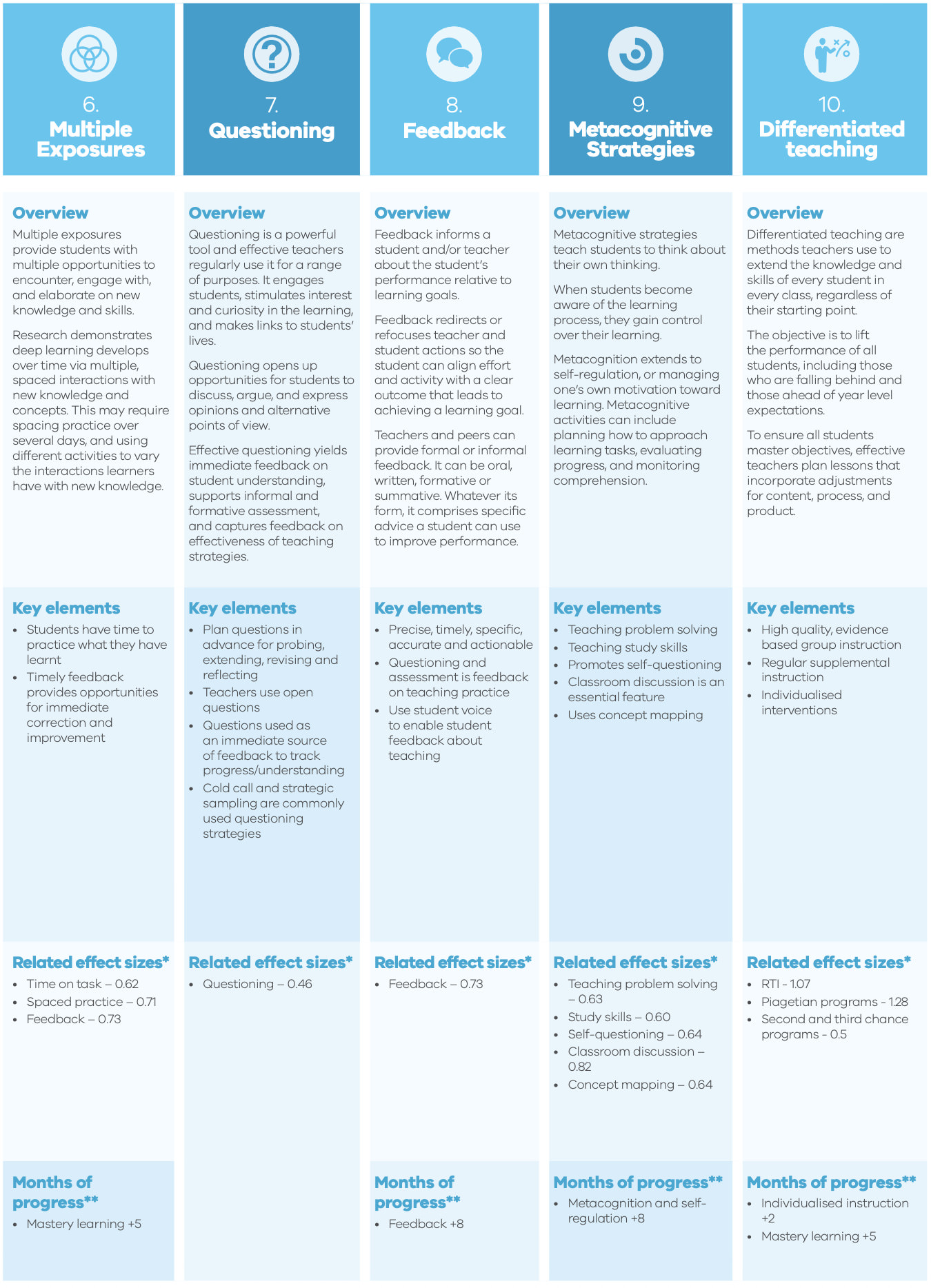
HITS summarises evidence-backed teaching strategies (e.g., from
studies reported in Hattie, 2009)
The 10 high impact teaching
strategies
High Impact Teaching Strategies
Department of Education and
Training, Melbourne (2017)
Setting Goals
Structuring Lessons
Explicit Teaching
Worked Examples
Collaborative Learning
Multiple Exposures
Questioning
Feedback
Metacognitive Strategies
Differentiated Teaching
Go get the booklet
1. Setting Goals
Lessons have clear learning intentions with goals that clarify what
success looks like.
Students see what they need to understand and do
Teachers can focus on meeting the goals
Links to explicit assessment criteria
both students and teachers need to see the goals!
2. Structuring Lessons
A lesson structure maps teaching and learning that occurs in
class.
clear expectations
learning is sequenced and linked
scaffolding
3. Explicit Teaching
Students are clearly shown what to do and how to do it.
intentions and success criteria are made transparent to
students
teacher demonstrates them by modelling
teacher checks for understanding
4. Worked Examples
A worked examples demonstrates the steps required to complete a task
or solve a problem.
Teacher presents the example and explains each step. Later, students
use the example during independent practice.
scaffolds learning to support skill acquisition
reduces cognitive load
supports independent practice
5. Collaborative Learning
Students work in small groups and everyone participates in a learning
task.
many approaches with different kinds of organisation
students work together applying acquired knowledge
cooperatively solve problems
fosters peer learning
competition between groups
6. Multiple Exposures
Students get multiple opportunities to encounter, engage with, and
elaborate on new knowledge and skills.
deep learning needs time
spaced-out interaction with knowledge supports learning
space out practice with different activities to vary interaction
with knowledge
7. Questioning
Questioning is a technique to help students gain cognitive tools for
learning themselves rather than presenting answers
(remember our intro training?)
yields feedback on student understanding
supports informal feedback
engage students, stimulates interest and curiosity in the learning,
and makes links to students lives
plan questions for probing, extending, revising and reflecting
use open questions
cold call and strategic sampling can be used
8. Feedback
Feedback informs a student and/or teacher about the student’s
performance relative to learning goals.
redirects actions to align with learning goals
feedback can be from teachers or peers
can be informal or formal
can be oral, written, formative, or summative
always needs to be specific and actionable (remember intro
training!)
9. Metacognitive Strategies
Metacognitive strategies teach students to think about their own
thinking.
students who are aware of learning process gain control over
learning
extends to self-regulation; managing one’s own motivation
can include planning approach to tasks
evaluating progress and monitoring comprehension
This can involve explicitly teaching problem solving, study skills,
and self-questioning
10. Differentiated Teaching
Methods teachers use to extend the knowledge and skills of every
student in every class, regardless of their starting point.
lift performance of all students
including those falling behind
including those way ahead
effective differentiation: lessons incorporate adjustments for
content, process, and product
Summary page of the HITS
Task: Which strategies resonate? (5mins)
Now you have heard about the HITS, which of these resonate to
you?
Discuss at your table:
Which strategy(ies) resonate with your experience and philosophy as a
teacher, and why?
We’ll come together to hear some responses. Each table needs to pick
one strategy to focus on for the next task.
Setting Goals
Structuring Lessons
Explicit Teaching
Worked Examples
Collaborative Learning
Multiple Exposures
Questioning
Feedback
Metacognitive Strategies
Differentiated Teaching
Task: making concrete plans (15mins)
the task is to ideate ways to apply one
HIT strategy in SoCo
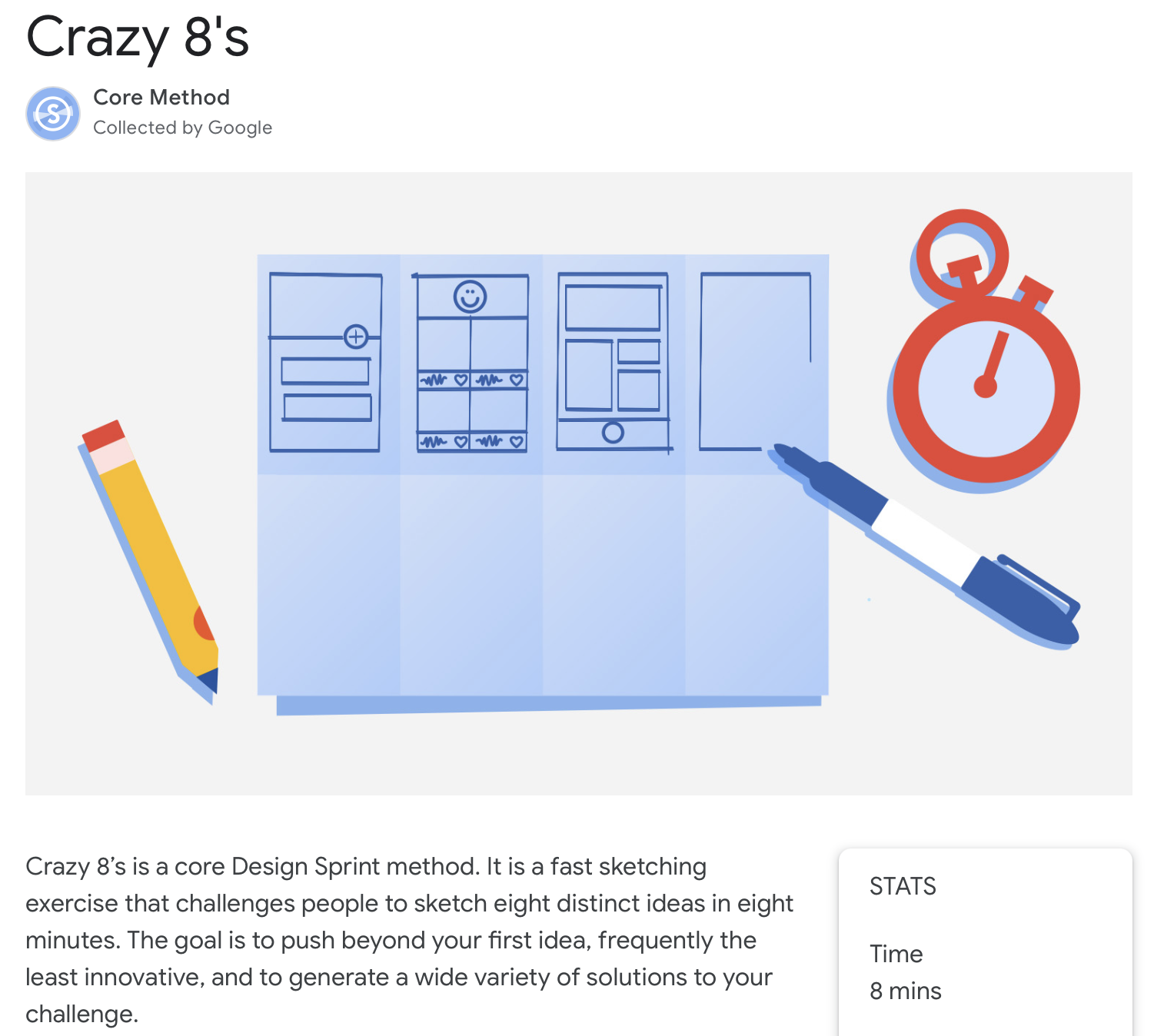
we’ll do a Crazy 8s design sprint.
fold your piece of paper into 8 sections.
start the 8 minute timer
sketch one application of the HIT strategy in each rectangle
stop when the alarm goes off
After the sprint, you will analyse the sketches you have ideated and
choose one to present to the group.
We’re at the end of our refresher, I’ll try to leave some time
for general questions. If we don’t have time, feel free to get in touch
to ask questions later!